FREE CHROME EXTENSION · APP STORE + GOOGLE PLAY
App revenue estimator and ASO Chrome extension
The AppGazers extension shows estimated monthly revenue, downloads and ratings growth beside apps on the App Store and Google Play websites, so you can size a market or a competitor while you browse the store. Install it free and sign in with Google.
What it shows on store pages
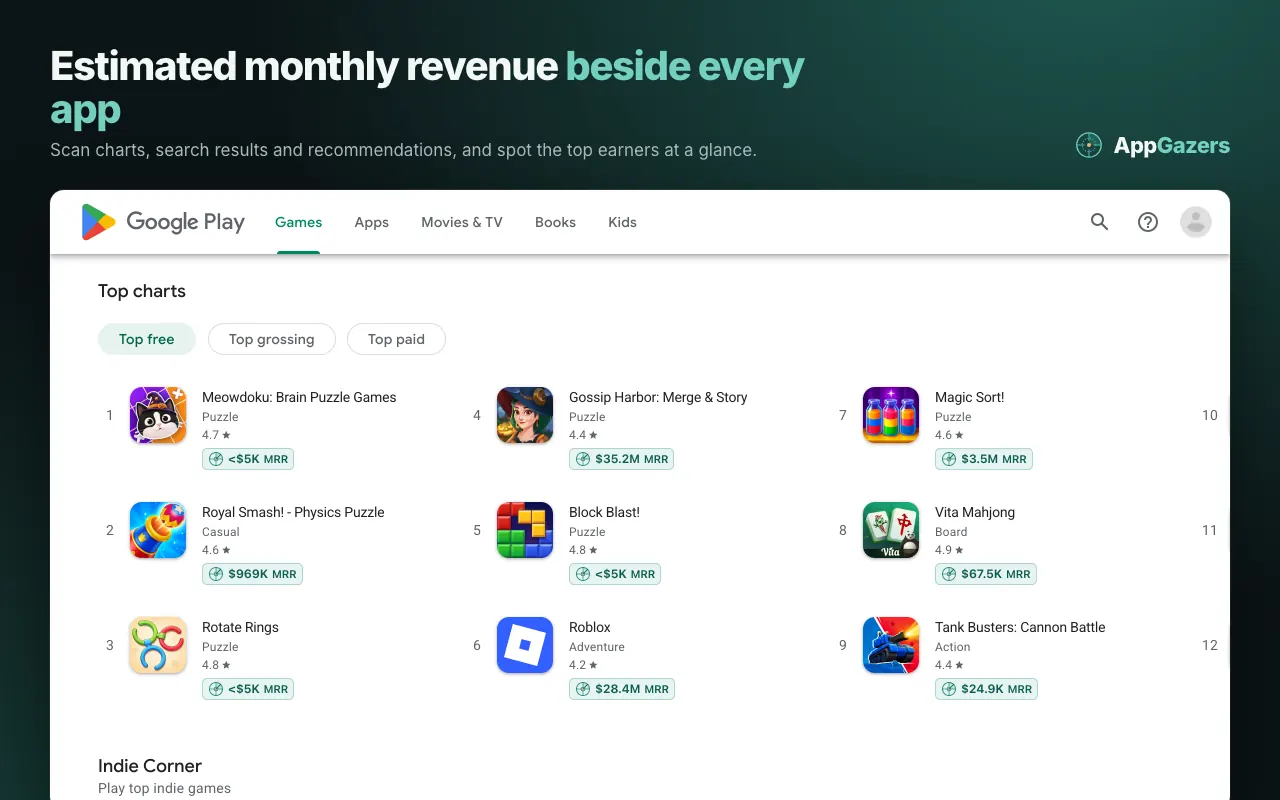
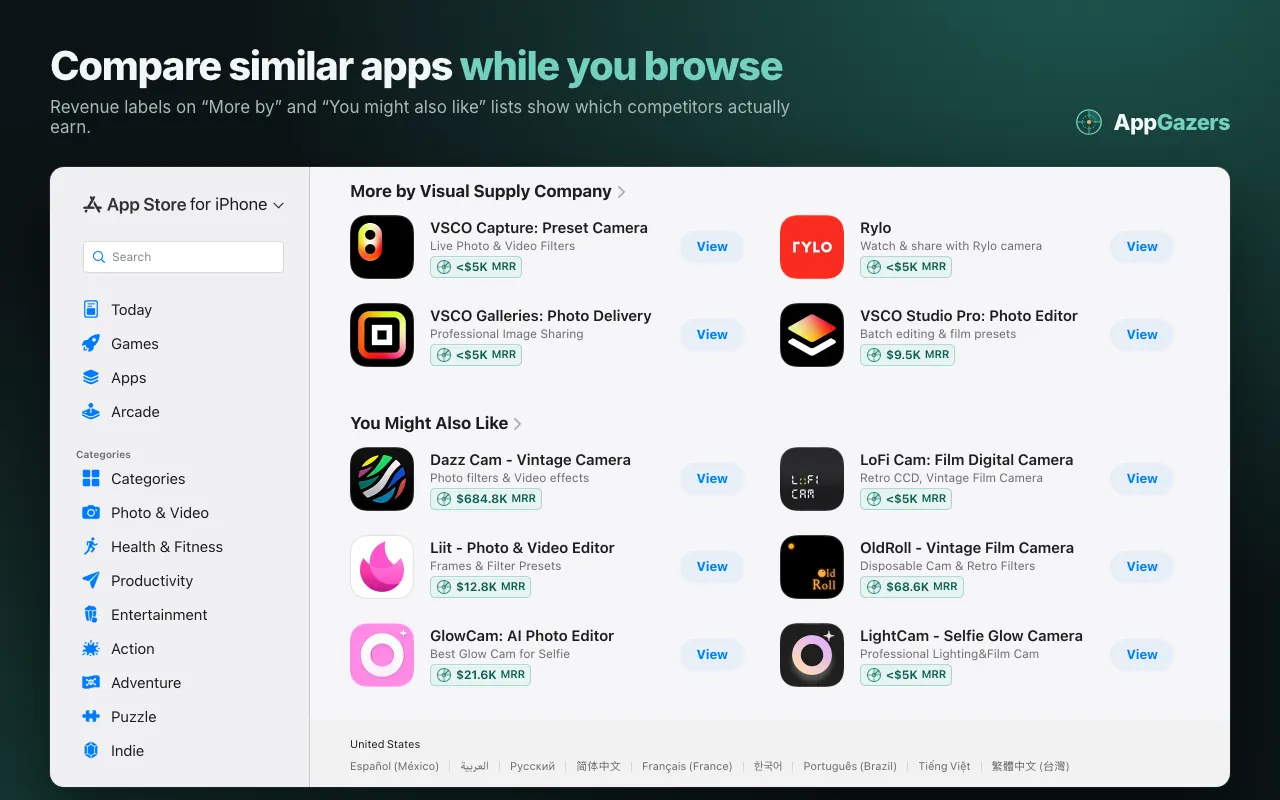
- Revenue labels in every list. An estimated monthly revenue label (MRR) appears beside apps in charts, search results, "More by" and "You might also like" lists on apps.apple.com and play.google.com/store.
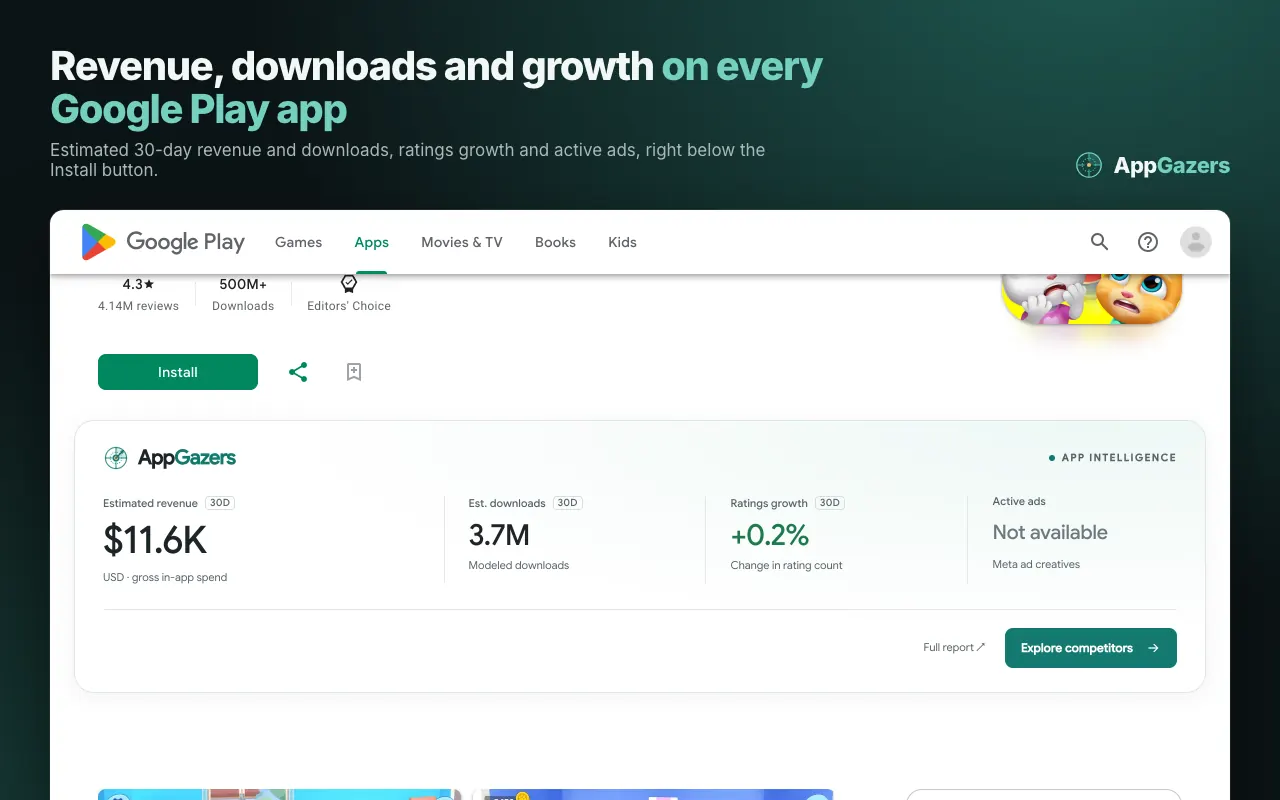
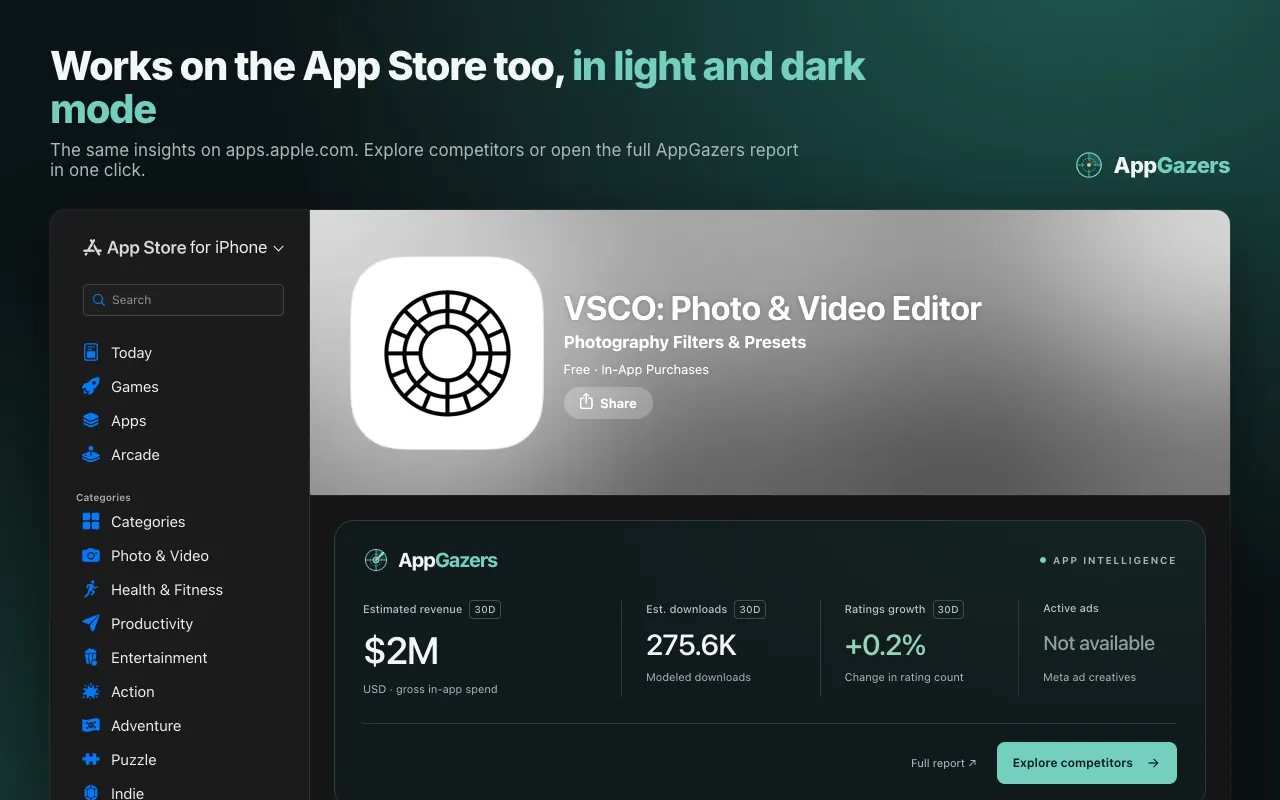
- An insight panel on every app page. Below the store's own header: estimated 30-day revenue, estimated 30-day downloads, 30-day ratings growth and active Meta ads for the app you are viewing.
- Competitors and the full report in one click. Explore competitors opens the AppGazers competitor analysis for that app; Full report opens its AppGazers page with rankings, reviews, keywords and ads.
- ASO tools from the toolbar. The popup opens the free keyword difficulty checker, revenue estimator and download estimator, and one switch pauses the labels and panels on every store page.
- Fits the store. Light and dark mode on the App Store, Google Play's light pages, narrow windows, keyboard focus and reduced motion.
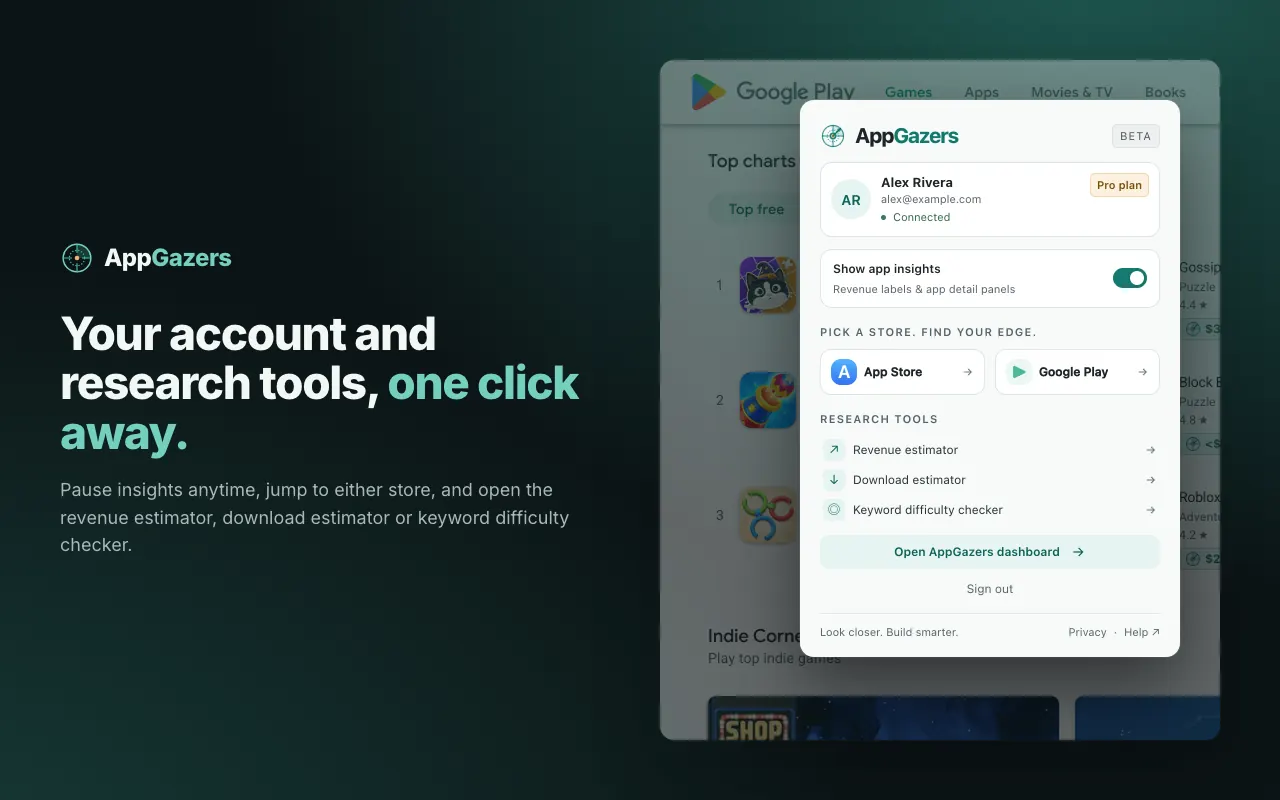
How to install
- Add the extension from the Chrome Web Store (Chrome 116 or newer).
- Click the AppGazers icon in the toolbar, choose "Continue with Google" and approve access on the AppGazers sign-in page.
- Open apps.apple.com or play.google.com/store: revenue labels appear in app lists and the insight panel on each app page.
Free plan: what you see
The extension is free to install, and a free AppGazers account (no card) is created the first time you sign in with Google. On the Free plan the labels and the insight panel show the revenue and download estimates, ratings growth and active Meta ads for the apps on the page. Competitor analysis, which the Explore competitors button opens, is part of the Basic and Pro plans. The same account includes the free AppGazers MCP server for AI assistants: 10 calls per tool a day, 100 a week.
Compare the Free, Basic and Pro plans, or connect an assistant to the free MCP server.
About the numbers
Revenue labels show the AppGazers model estimate of gross in-app spend in US dollars over a 30-day period, not reported earnings; downloads are model estimates for the same period. A label reading “<$5K” means the estimate is below $5K, and an app the catalog does not have is shown as unavailable rather than zero. Ratings growth is the change in the number of ratings, not revenue growth. See how AppGazers collects and models the data.
Privacy
- Runs only on apps.apple.com and play.google.com/store, and in its own toolbar window.
- Sends AppGazers the identifiers of the apps shown on the page so it can fetch their estimates. It never sends page content, your store searches, other websites or your browsing history.
- No analytics, advertising or tracking code. Your sign-in is stored only in this browser and is not synced; signing out revokes it.
- Permissions: the two store sites, appgazers.com, "identity" (the sign-in window) and "storage" (your sign-in and the on/off switch).
Read the full Chrome extension privacy section.
Frequently asked questions
Is the AppGazers Chrome extension free?
The extension is free to install, and a free AppGazers account (no card) is created the first time you sign in with Google. On the Free plan the labels and the insight panel show the revenue and download estimates, ratings growth and active Meta ads for the apps on the page. Competitor analysis, which the Explore competitors button opens, is part of the Basic and Pro plans. The same account includes the free AppGazers MCP server for AI assistants: 10 calls per tool a day, 100 a week.
How does the extension estimate app revenue?
The labels show the AppGazers model estimate of gross in-app spend (USD) over a 30-day period, not reported earnings. Downloads are model estimates for the same period, "<$5K" means the estimate is below $5K, and ratings growth is the change in the number of ratings, not revenue growth.
Does it work on Google Play and the App Store?
Yes. It runs on the web App Store (apps.apple.com) and on Google Play's store pages (play.google.com/store), in charts, search results, recommendation lists and app pages. It does not run on other sites.
Is it a Sensor Tower Chrome extension alternative?
It covers the same browse-time question, how much an app makes and how fast it grows, with AppGazers estimates shown on the store pages. AppGazers is independent and not affiliated with Sensor Tower; compare the two on the AppGazers alternatives page.
Can I use it for ASO?
Yes. Use the labels to see which apps in a search result or chart earn the most, then open the free keyword difficulty checker from the toolbar popup to judge a keyword before you target it.
What data does the extension collect?
Only the identifiers of the apps on the store page you are viewing, sent to AppGazers to fetch their estimates, plus your sign-in tokens stored in your browser. No page content, searches, browsing history, analytics or advertising code.
More from AppGazers
- Top 100 Chrome extensions by users and trending Chrome extensions
- Free app research tools: revenue estimator, download estimator, keyword difficulty checker
- App revenue and download reports
- Sensor Tower alternative